Native Kubernetes console
Ten thousand pods, sixty frames a second.
Periscope streams your clusters into a table that keeps up with them — every kind, custom resources included, logs merged across pods, two clusters side by side. Built in Rust, drawn on the GPU.
- No account
- No telemetry
- No credentials on disk
- Open source
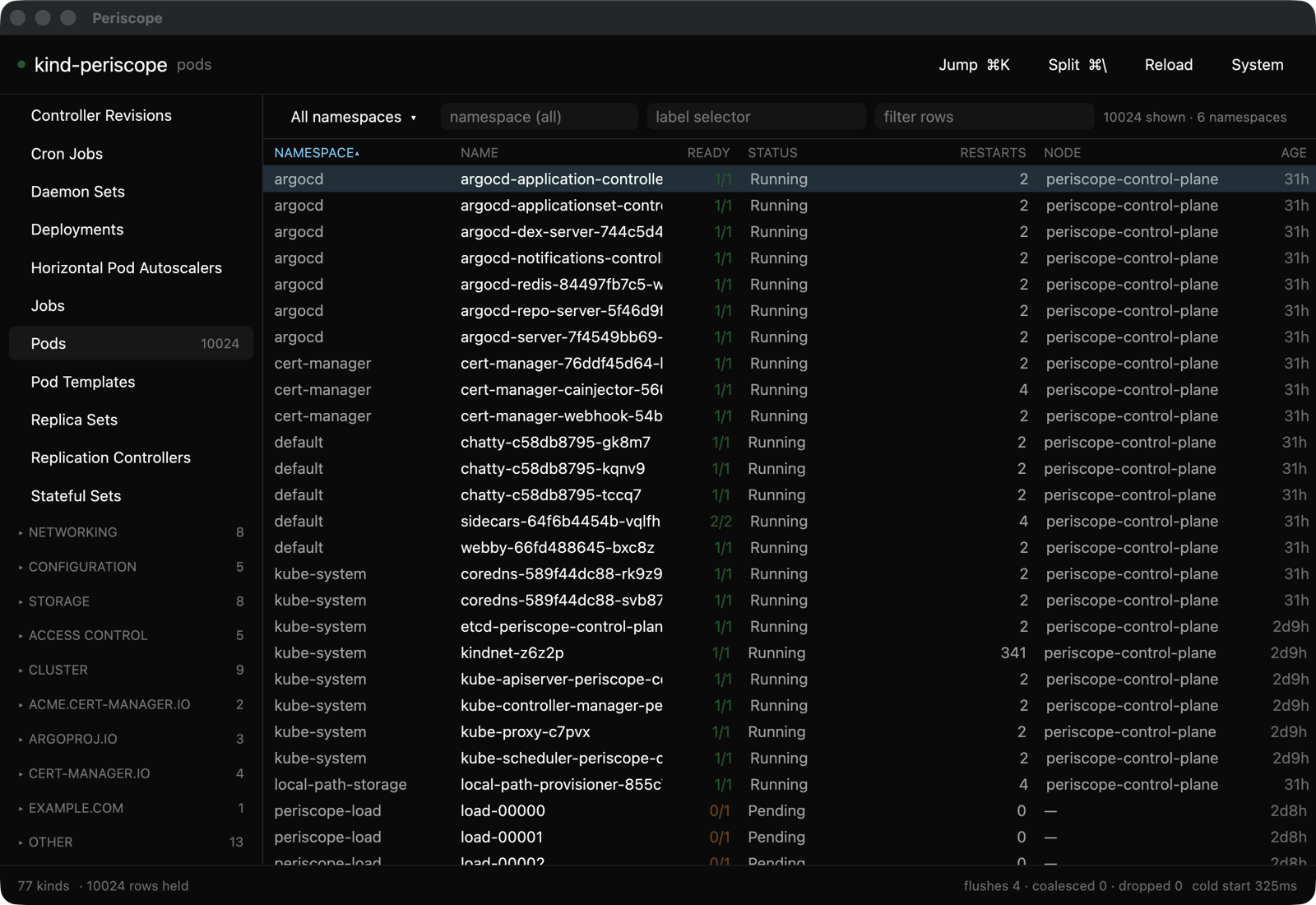
Everything the cluster serves, the moment it changes
No refresh button. Watches stream straight into the table, and the table stays smooth whether it holds twenty rows or ten thousand.
Custom resources, first class
Your CRDs appear with the columns their own definitions declare — the same ones kubectl prints. cert-manager and Argo CD show up as themselves, not as a generic blob of YAML.
Logs that merge across pods
Tail every pod matching a label selector in one stream, each pod in its own colour, new pods attached as they appear. Filter by substring or regex without restarting the stream.
Two clusters at once
Split the window and watch prod beside staging. Clusters you have visited stay warm, so switching back is instant instead of a re-list.
Find anything, instantly
One palette searches every warm cluster at once — a context, a kind, or an object by name — and tells you which cluster the hit is on.
Keyboard first
k9s and vim bindings out of the box, every one of them remappable. Your hands never have to find the mouse.
Port-forward and exec
Open a local port onto a pod, or run a command in a container and stream its output — without leaving the object you were looking at.
Fast enough to leave open all day
Measured, not estimated — against a cluster holding 10,024 pods.
From launch to a window you can use
Sustained on a ten-thousand-row table, zero dropped frames
Resident memory with the whole cluster loaded
From a pod changing in the cluster to changing on your screen
It asks before it touches production
Every change — delete, scale, restart, cordon, drain, apply — is a sentence naming exactly what is about to happen, and to which cluster.
in namespace payments
on cluster prod?
Mark a cluster read-only
Name it in settings.toml and writes are refused twice — once before anything is sent, once again immediately before the request. One bug in the interface is not enough to change a cluster you protected.
Secrets stay masked
A Secret shows how many keys it holds, never a value, until you deliberately reveal it. Close the pane and it masks again.
A local audit trail
Applied, refused or failed — every attempt appends a line to a log on your machine. Hostnames and anything token-shaped are stripped before anything is written down.
Yours alone
No sign-in wall, no licence server, no analytics. Periscope talks to the clusters in your kubeconfig and to nothing else — and it never writes a credential to disk.
Needs Rust and a kubeconfig. It opens on your current context. macOS, Linux and Windows.